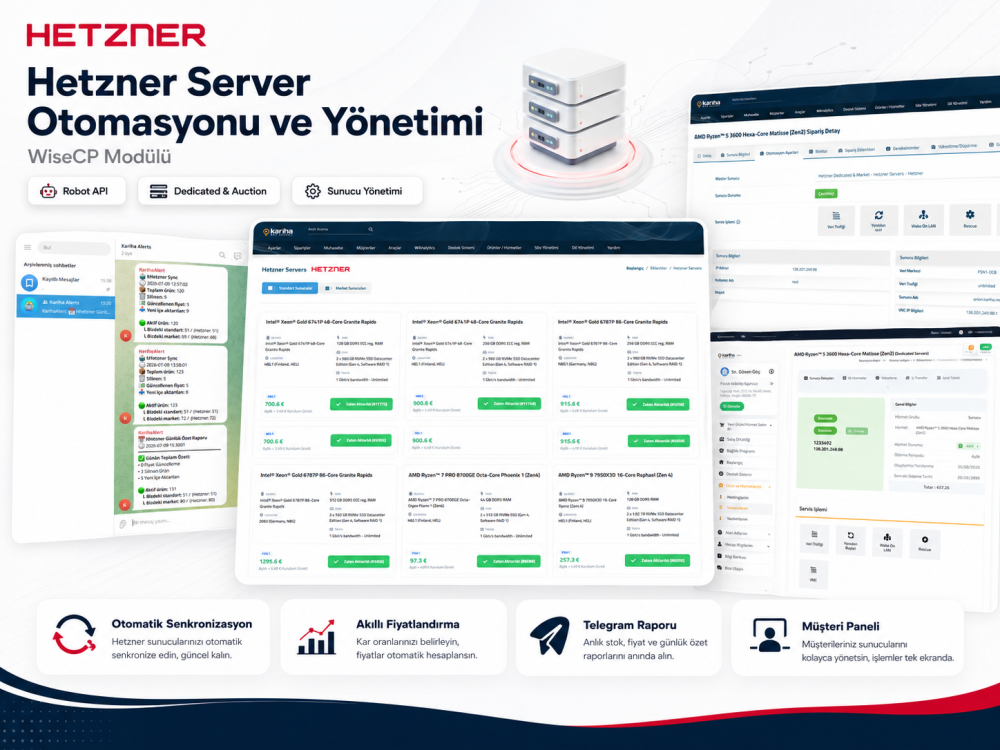
Import both standard dedicated servers and auction/market servers from Hetzner Robot into your WISECP panel.
Server data, prices and stock status are updated regularly through the WISECP cron system.
Define different profit rates for different price ranges and automatically calculate your selling prices.
Products created by the module are automatically removed when the related server is no longer available on Hetzner.
Allow admins and customers to access server actions such as traffic view, reboot, Wake on LAN, Rescue and VNC.
Receive instant and daily Telegram reports for imported, deleted and price-updated servers.
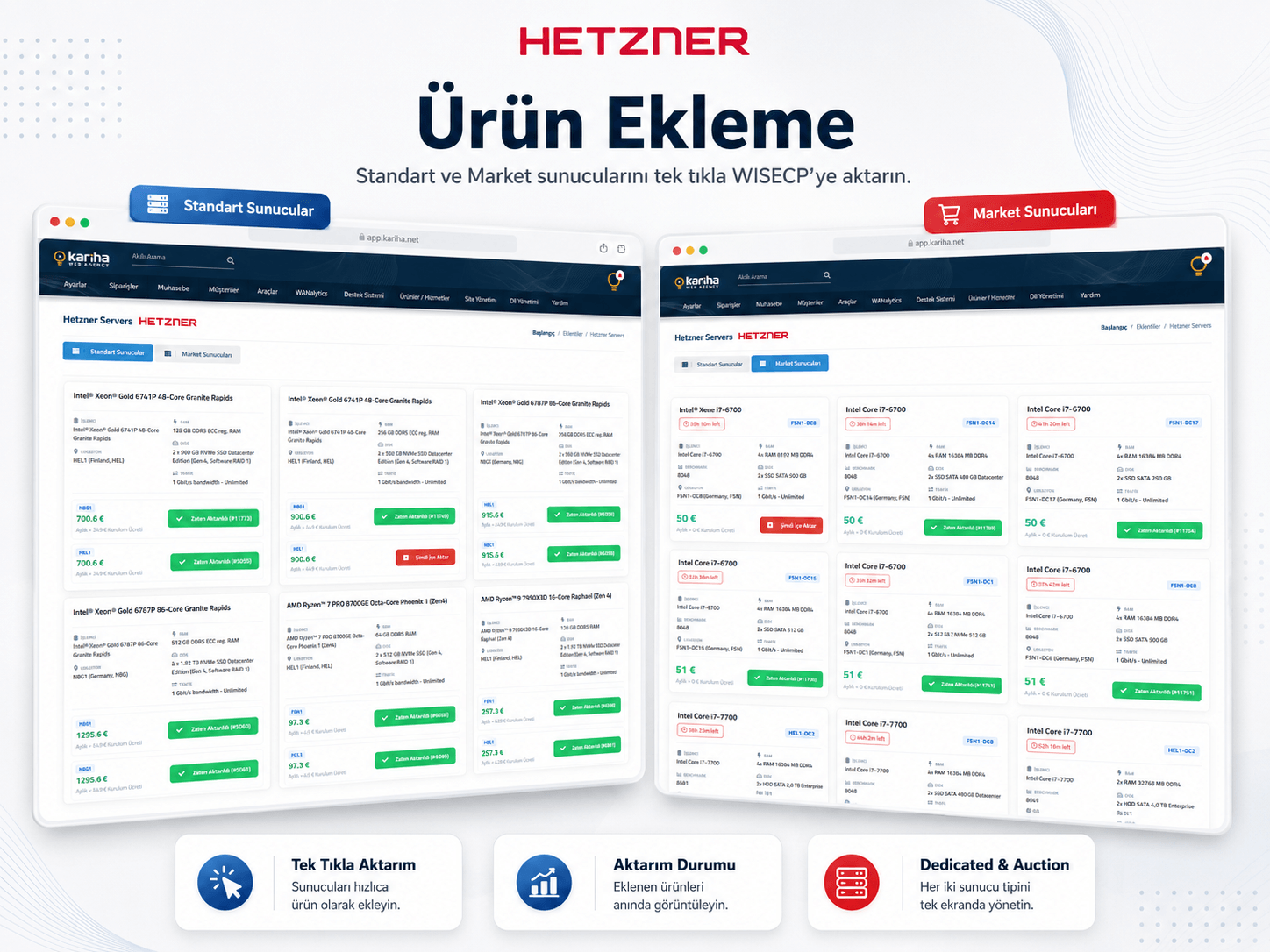
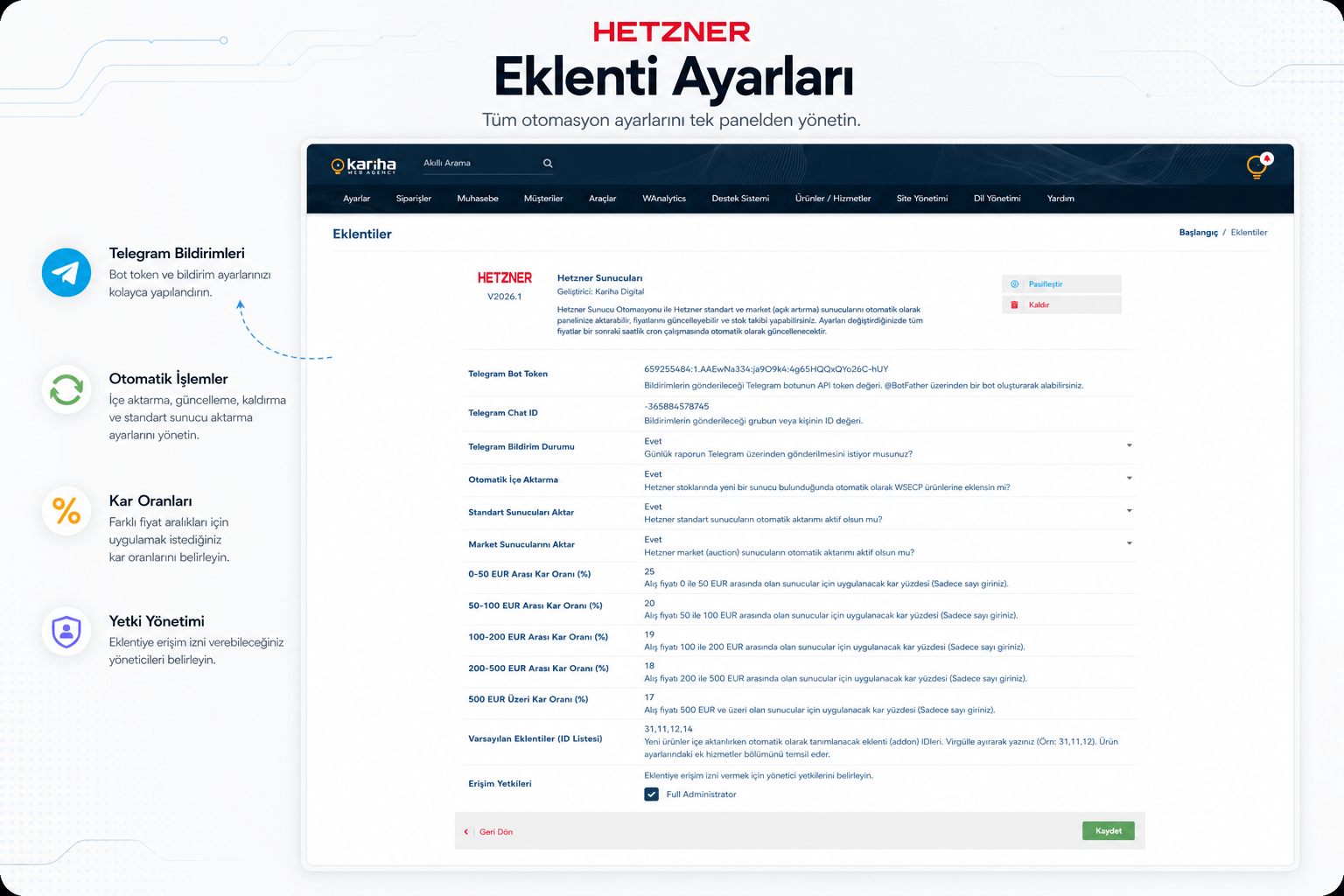
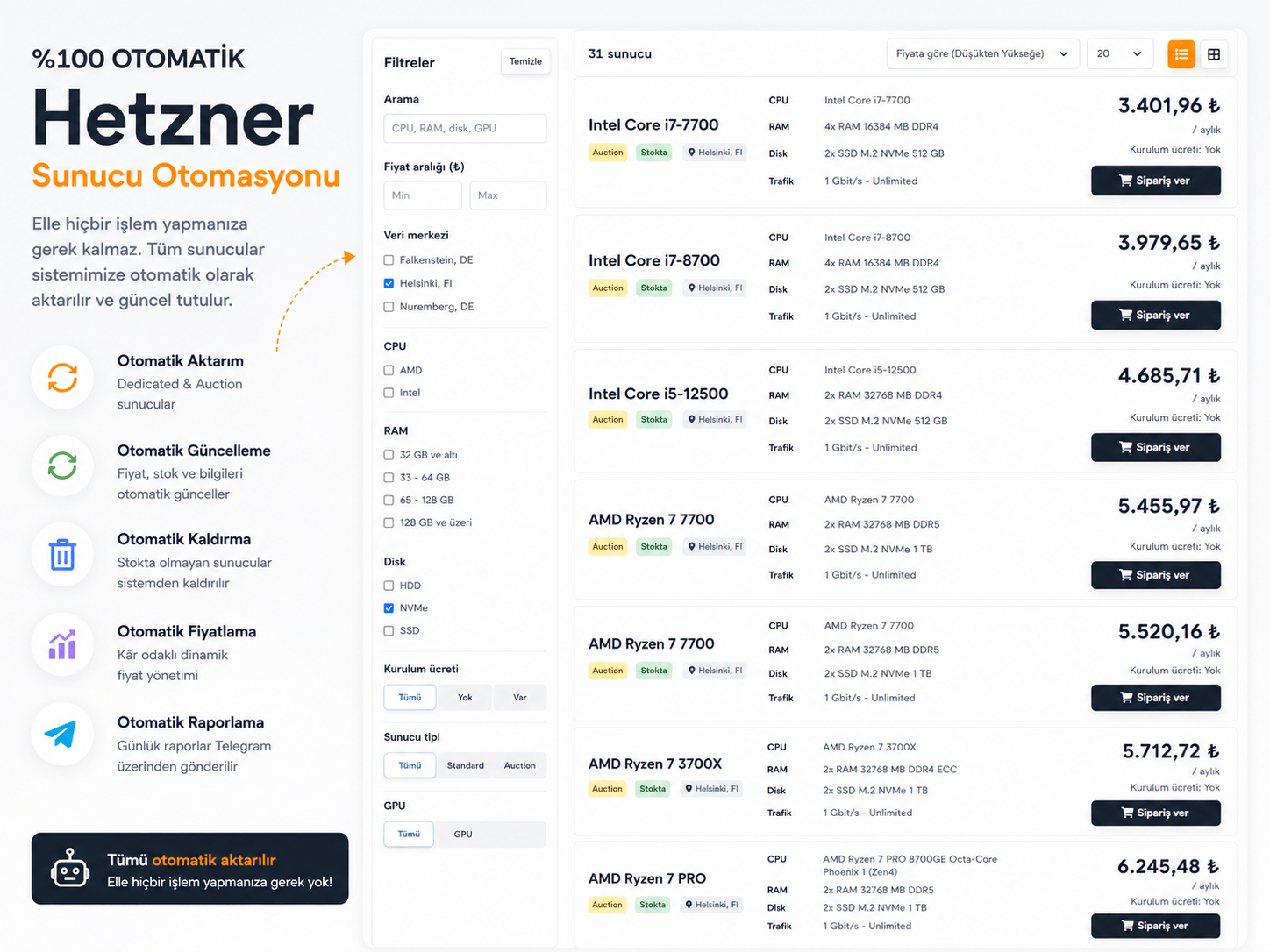
Hetzner Server Automation & Management is a professional WISECP module developed for hosting companies and service providers that sell Hetzner dedicated servers. The module connects to the Hetzner Robot API and imports both standard dedicated servers and auction/market servers into your WISECP panel as ready-to-sell products.
It automates time-consuming operations such as manual product creation, price updates and stock tracking. Server details such as CPU, RAM, disk, location, traffic and pricing are fetched from Hetzner and processed according to the profit rates you define in the module settings.
The module converts server data received from your Hetzner Robot account into WISECP-compatible products. Each server is created as a separate product with its own technical specifications. This allows you to sell Hetzner dedicated and auction servers under your own brand and pricing structure.
You can import servers manually or enable automatic import to let the module synchronize data through the WISECP cron system. New servers are added, price changes are updated, and products created by the module are removed when the related server is no longer available on Hetzner.
Hetzner servers may have different cost levels, especially in the auction/market section. For this reason, the module allows you to define different profit rates for different price ranges. For example, you can apply a higher profit rate to lower-cost servers and a lower profit rate to higher-cost servers.
After you define your profit rates, the module automatically calculates the WISECP selling price by adding your profit rate to the Hetzner cost. If the Hetzner price changes or you update your profit rate settings, existing product prices can be updated during the next synchronization.
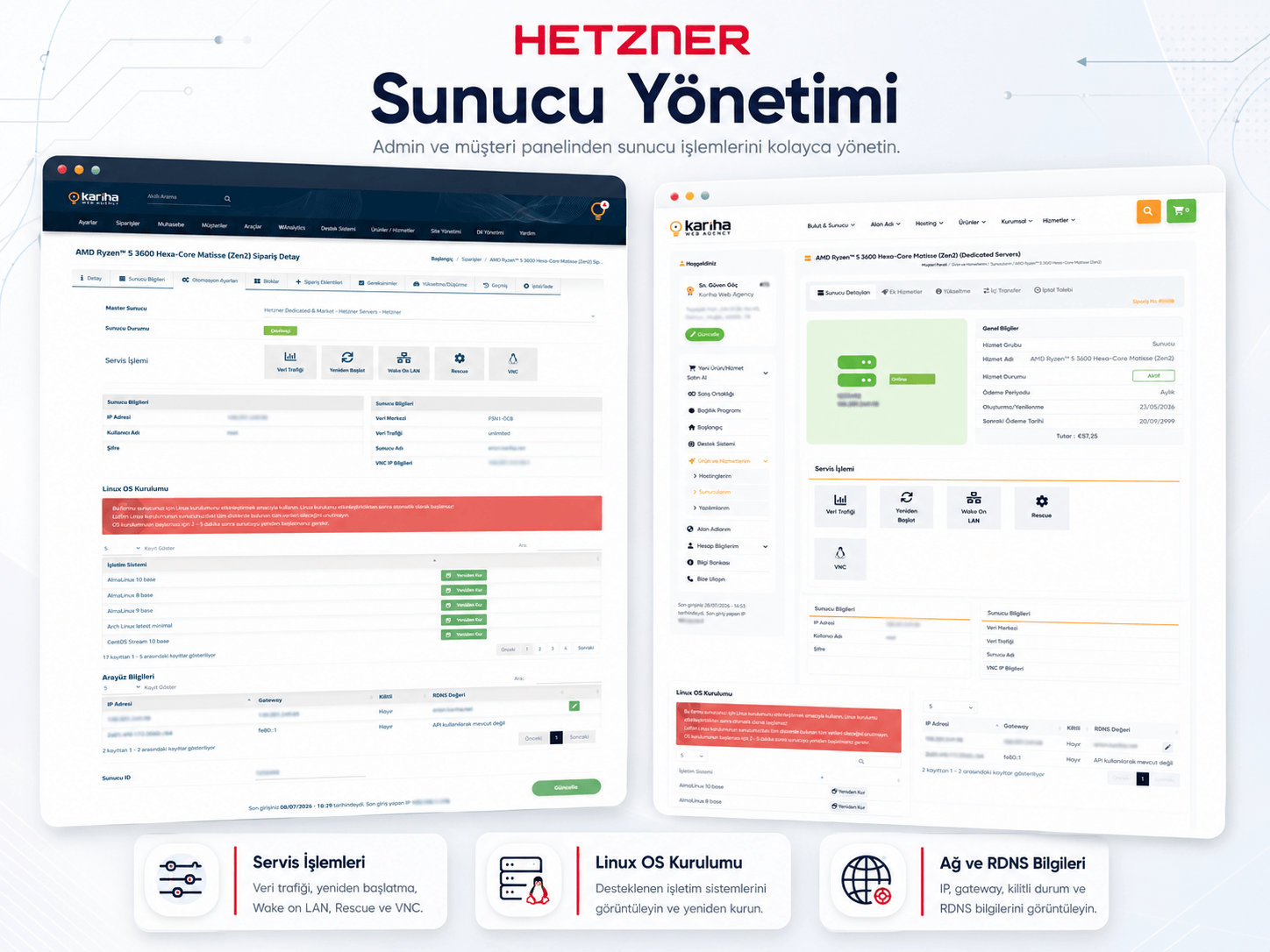
Hetzner Server Automation & Management is not just an import tool. It also provides server management features inside WISECP. Both the admin panel and the client area can display server information and supported management actions.
Actions such as traffic view, reboot, Wake on LAN, Rescue and VNC can be accessed through WISECP. This allows your customers to manage their purchased Hetzner servers more easily from their own client area.
Auction and market server availability may change quickly. The module tracks the current status on the Hetzner side and prevents unavailable servers from remaining listed for sale.
The automatic delete process only applies to products created by the module. Products that you created manually in WISECP or manage through other systems are not affected. This provides automated stock management while keeping your existing product structure safe.
The module can send Telegram notifications about synchronization activity. Imported products, deleted products, price updates and active product counts can be tracked through Telegram reports.
With the daily summary report feature, you can quickly review all important actions performed during the day. Telegram notifications are optional and can be enabled or disabled from the module settings.
This module is suitable for hosting companies, dedicated server providers, Hetzner resellers and service providers that want to sell Hetzner auction servers through their own WISECP panel.
It helps reduce manual workload, keeps product data up to date, and creates a more automated sales and management infrastructure for Hetzner dedicated server services.
Note: The automatic delete process only applies to products created by this module. Products created manually in your WISECP panel are not affected.


 Turkey (Türkçe)