
Manage your internet radio station with a professional SonicPanel infrastructure. Reach your listeners with live DJ broadcasting, AutoDJ, playlist management, free SSL and advanced web player options.
All radio hosting plans include free SSL and access to the SonicPanel radio management system.
Your radio streams and web player URLs are delivered securely over HTTPS.
Keep your station broadcasting 24/7 with uploaded music, even when your computer is turned off.
Create DJ accounts and switch from AutoDJ to live broadcasting without interrupting your listeners.
Create playlists, schedule your programming and manage your station's entire broadcast flow with ease.
Add ready-to-use radio players and widgets to your website with just a few lines of code.
DDoS protection, IP rate limiting and brute-force protection help keep your radio services secure.
Manage your broadcasts, music library, DJ accounts and player options without getting lost in technical details.
Your radio hosting account includes access to the powerful and easy-to-use SonicPanel control panel.
From a single interface, you can manage broadcast settings, upload MP3 files, run AutoDJ, create DJ accounts and access all the tools required to operate your radio station.
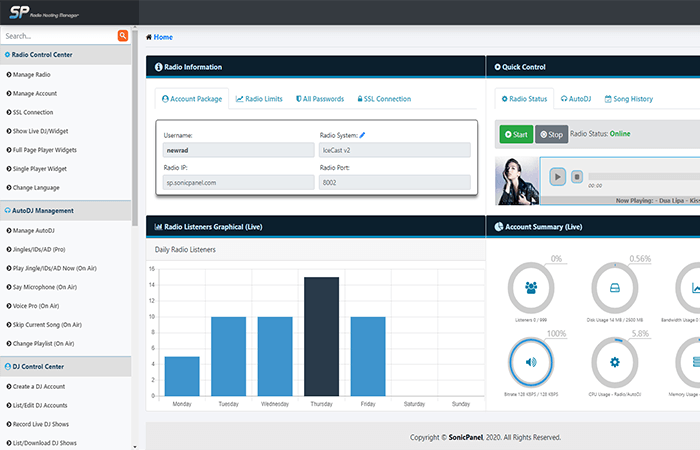
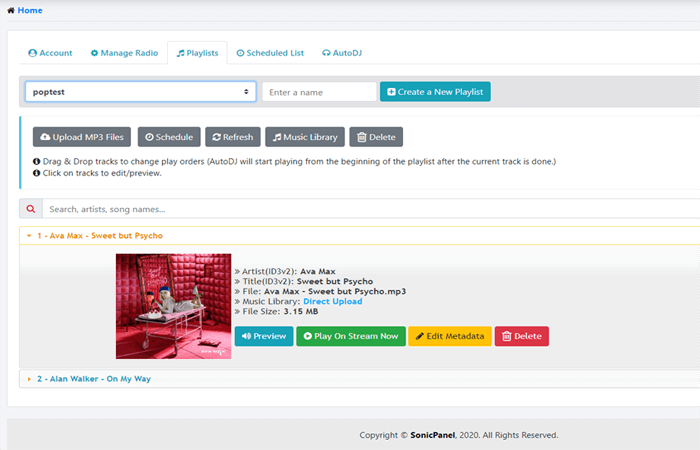
Upload multiple or individual music files from your computer and build playlists quickly with simple drag-and-drop controls.
Organize your tracks, edit ID3 metadata, view album artwork and send any track directly to your live broadcast whenever you need it.
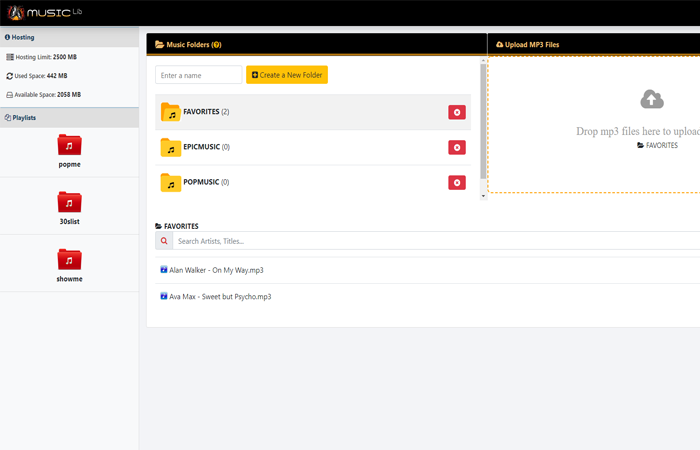
Organize your entire music archive in one place by creating albums and custom folders inside the SonicPanel music library.
There is no need to upload the same track repeatedly for different playlists. Songs stored in the music library can be added to multiple playlists whenever needed.
Create separate accounts for your DJs and allow them to connect while AutoDJ is running. DJs can switch to a live broadcast without disconnecting your listeners.
Live DJ broadcasts can also be recorded automatically in 320 kbps MP3 format and downloaded later.
DJs can upload profile images through the DJ Panel. When they go live, their profile image can automatically appear on supported players and widgets.
SonicPanel provides both compact radio players and full-page player options for your station.
Simply copy and paste the provided iframe or JavaScript code into your website to add your radio player without requiring advanced technical knowledge.
Give your listeners another way to access your station beyond your website.
Kariha Radio Worlds is our mobile radio application that allows listeners to discover and listen to multiple radio stations from a single app.
Radio hosting customers can submit a support request to have their station reviewed and added to the app.

Kariha Single Radio is a clean and simple mobile radio application designed around a single radio station.
Visit the application on Google Play to see how a dedicated single-station mobile listening experience works.
Listen to a live example of the radio player provided through SonicPanel.
Our radio hosting infrastructure includes multiple security mechanisms designed to protect your streams, control panel and listener connections.
Manage your station professionally with AutoDJ, live DJ support, advanced playlist management, mobile-friendly players and the powerful SonicPanel infrastructure.
We answer all your questions about the processes and technical details regarding our Radio Hosting service here. If you have any further questions, you can also contact our customer support team.

 Turkey (Türkçe)

 Web Hosting
 Reseller Hosting
 Corporate Web Hosting
 Radyo Reseller Hosting