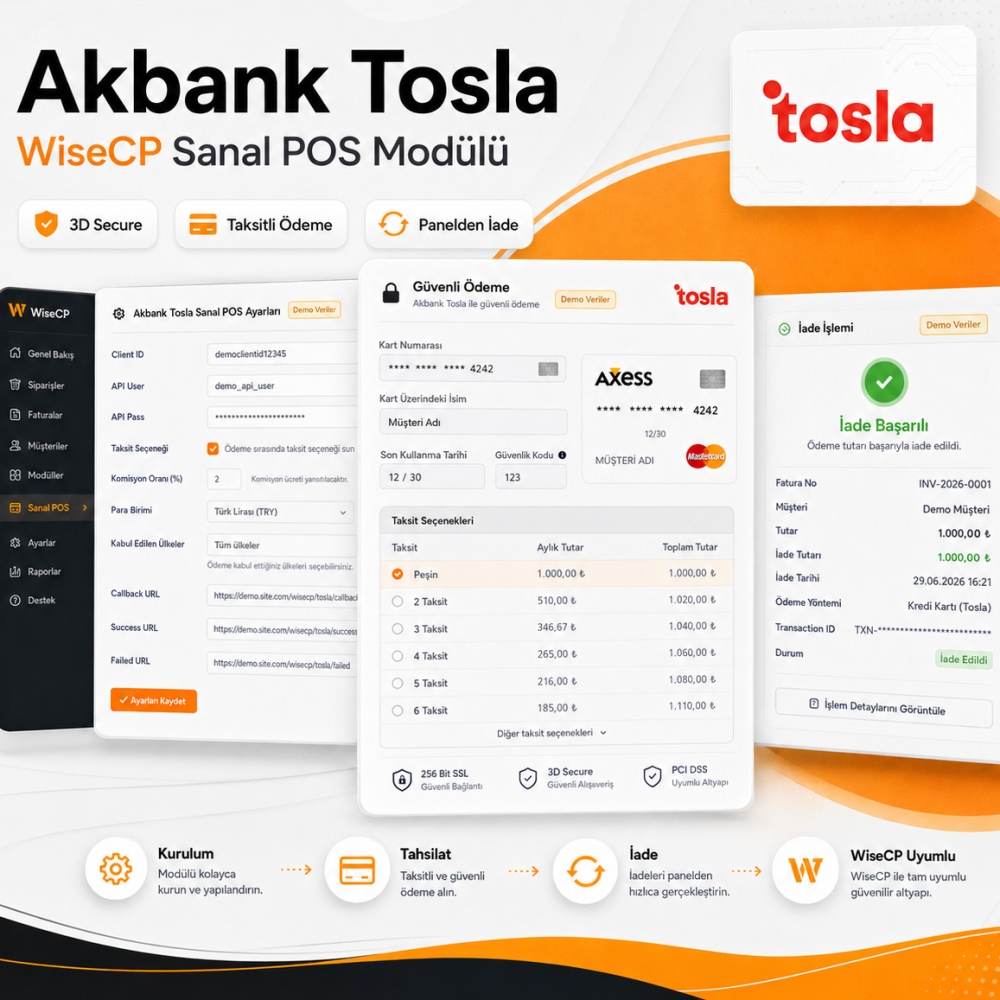
Akbank Tosla Virtual POS Payment Module

Akbank Tosla Virtual POS Payment Module

Online Card Payments

Your customers can easily pay their WiseCP invoices using credit or debit cards.

WiseCP Compatible

Works seamlessly with the WiseCP payment methods system and can be managed easily from the admin panel.

Automatic Invoice Updates

Once a payment is completed successfully, the related invoice is automatically marked as paid in WiseCP.

Unencrypted Source Code

The module files are not encrypted or obfuscated and do not require any additional PHP extension.

Lifetime Usage

Use the module without annual licensing, server verification, IP limits, or domain restrictions.

Easy Configuration

Enter your Tosla İşim API credentials and start accepting payments through Akbank Tosla in just a few steps.

Akbank Tosla Virtual POS Payment Module

WiseCP Akbank Tosla Virtual POS Payment Module

The Akbank Tosla Virtual POS Payment Module is a payment integration developed for businesses using WiseCP that want to accept online card payments. Hosting services, domain registrations, server rentals, software licenses, digital products, and other WiseCP invoices can be paid securely with credit or debit cards.

The payment process starts through WiseCP's own payment form. Customers enter their card details within your website's payment screen. When 3D Secure verification is required, they are redirected only to the bank's security page. After verification is completed, they return to your website and the payment result is automatically applied to the related WiseCP invoice.

The module appears as Akbank Tosla in the WiseCP admin panel. It works with the Tosla İşim Virtual POS infrastructure and is also suitable for businesses familiar with the payment solution previously known as AkÖde.

Manage Payments Directly Through WiseCP

Once the Akbank Tosla payment method is enabled, your customers can select it from the available WiseCP payment options and complete the transaction directly through their client area. Except for the bank's 3D Secure verification page, the payment flow remains on your website.

After a successful transaction, the related invoice is automatically marked as paid. This reduces the need for manual payment checks or manually closing invoices. Payment results are matched with the WiseCP financial system and transaction details can be tracked from the related payment record.

Module Features

  • WiseCP Compatible: Built to work with WiseCP's payment and invoice structure.
  • Turkish and English Language Support: Can be used with WiseCP installations in Turkish and English.
  • On-Site Payment Flow: Except for the 3D Secure bank verification screen, customers complete the payment process without leaving your website.
  • 3D Secure Option: Supports the 3D Secure payment flow for transactions requiring bank verification.
  • Installment Payment Support: Installment options can be offered according to the conditions supported by your Tosla İşim account and the customer's card.
  • Automatic Invoice Updates: The related WiseCP invoice is automatically marked as paid after a successful payment.
  • Direct Refunds from the Admin Panel: Refund payments received through this module directly from the relevant payment record in the WiseCP admin panel.
  • Active Functions: Required module functions for accepting payments, checking transaction results, updating invoices, and processing refunds are active.
  • Open Source Code: The module files are unencrypted and not obfuscated.
  • No Additional Decoder Required: Does not require ionCube, SourceGuardian, or a similar PHP extension.
  • Lifetime Usage: No new license purchase is required after domain, IP address, or server changes.

Refund Payments from the WiseCP Admin Panel

When a payment received through this module needs to be refunded, there is no need to log in to the Tosla İşim merchant panel separately. Open the relevant payment record in the WiseCP admin panel and process the refund directly through the panel.

For cancelled services, incorrect charges, or other post-payment situations, you can refund the amount charged from your customer through Akbank Tosla directly from WiseCP. This allows you to manage payment collection and refunds without switching between separate platforms.

Easy Installation and Configuration

After installation, simply enable the Akbank Tosla module from the Payment Methods section in your WiseCP admin panel. Enter the API credentials obtained from your Tosla İşim merchant panel to activate the payment method.

The module is designed to work with WiseCP's standard payment and financial infrastructure. It does not include encrypted license files, remote license validation, or server-specific usage restrictions.

Installation Instructions

Installation

  1. Upload the files included in the downloaded module package to the main directory of your WiseCP installation.
  2. Make sure the original folder structure is preserved while uploading the files.
  3. Log in to your WiseCP admin panel.
  4. Go to Settings > Financial Settings > Payment Methods.
  5. Enable the Akbank Tosla module from the payment methods list.
  6. Enter the API credentials obtained from your Tosla İşim merchant panel into the relevant fields.
  7. Configure the required currency and payment settings.
  8. Click the Save Settings button.
  9. Create a low-value invoice and test the payment flow.

Note: You can obtain your API credentials from the Tosla İşim customer or merchant panel.

Update Version History

Version Information

  • Module Version: 1.0.0
  • Release Status: Stable Release
  • Compatibility: WiseCP v3 and higher
  • PHP Compatibility: PHP 8.1 and higher
  • Payment Provider: Akbank Tosla İşim Virtual POS
  • Former Brand Name: AkÖde
  • Code Structure: Unencrypted and non-obfuscated
  • License: Lifetime usage

Version 1.0.0

  • Akbank Tosla payment method support for WiseCP
  • Tosla İşim Virtual POS API integration
  • Automatic invoice update after successful payment
  • Compatibility with WiseCP financial system architecture
  • Unencrypted and editable source code structure
  • Domain, IP address, and server independent usage

Akbank Tosla Virtual POS Payment Module

839.41
  • A WiseCP payment module developed for Akbank Tosla Virtual POS integration. Configure your Tosla İşim API credentials and accept secure online payments from your customers via credit and debit cards.
Server Requirements

Server Requirements


  • WiseCP v3 or higher

  • PHP 8.1 or higher

  • PHP cURL extension enabled

  • A domain with an active SSL certificate

  • An active Akbank Tosla İşim Virtual POS account

  • API credentials obtained from the Tosla İşim panel


License and Usage Information


  • The module files are not encrypted.

  • No obfuscated or unreadable source code is included.

  • No additional PHP extension such as ionCube or SourceGuardian is required.

  • No restrictions apply due to domain, IP address, or server changes.

  • There is no annual license renewal, remote license verification, or usage time limit.

  • Once purchased, you can use the module indefinitely.

902522750175