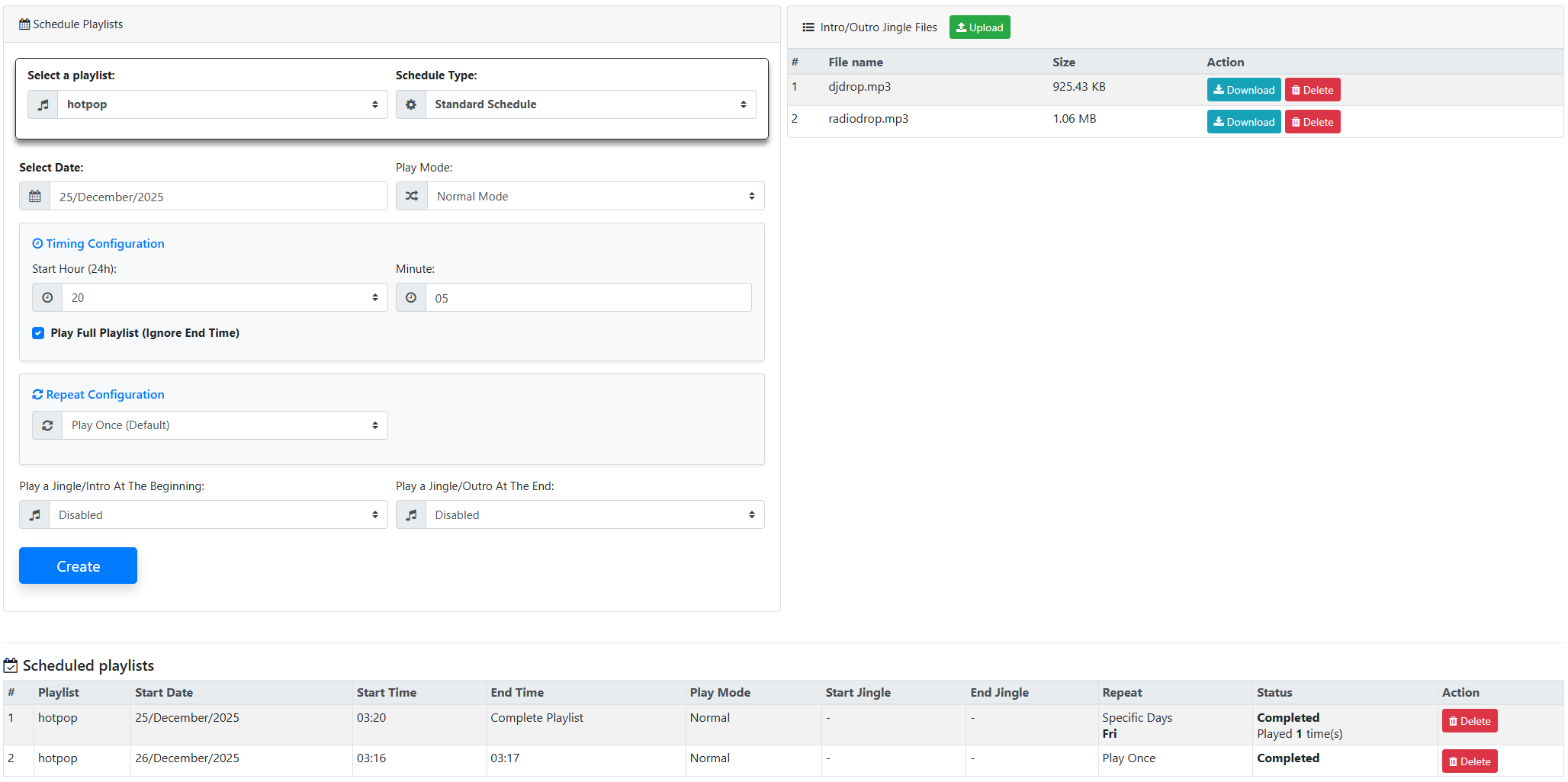
With the latest SonicPlayer update, the Schedule Playlists feature has been significantly enhanced. Thanks to these improvements, broadcast scheduling is now much more flexible, precise, and easier to manage.
With the new system, playlists can now be scheduled:
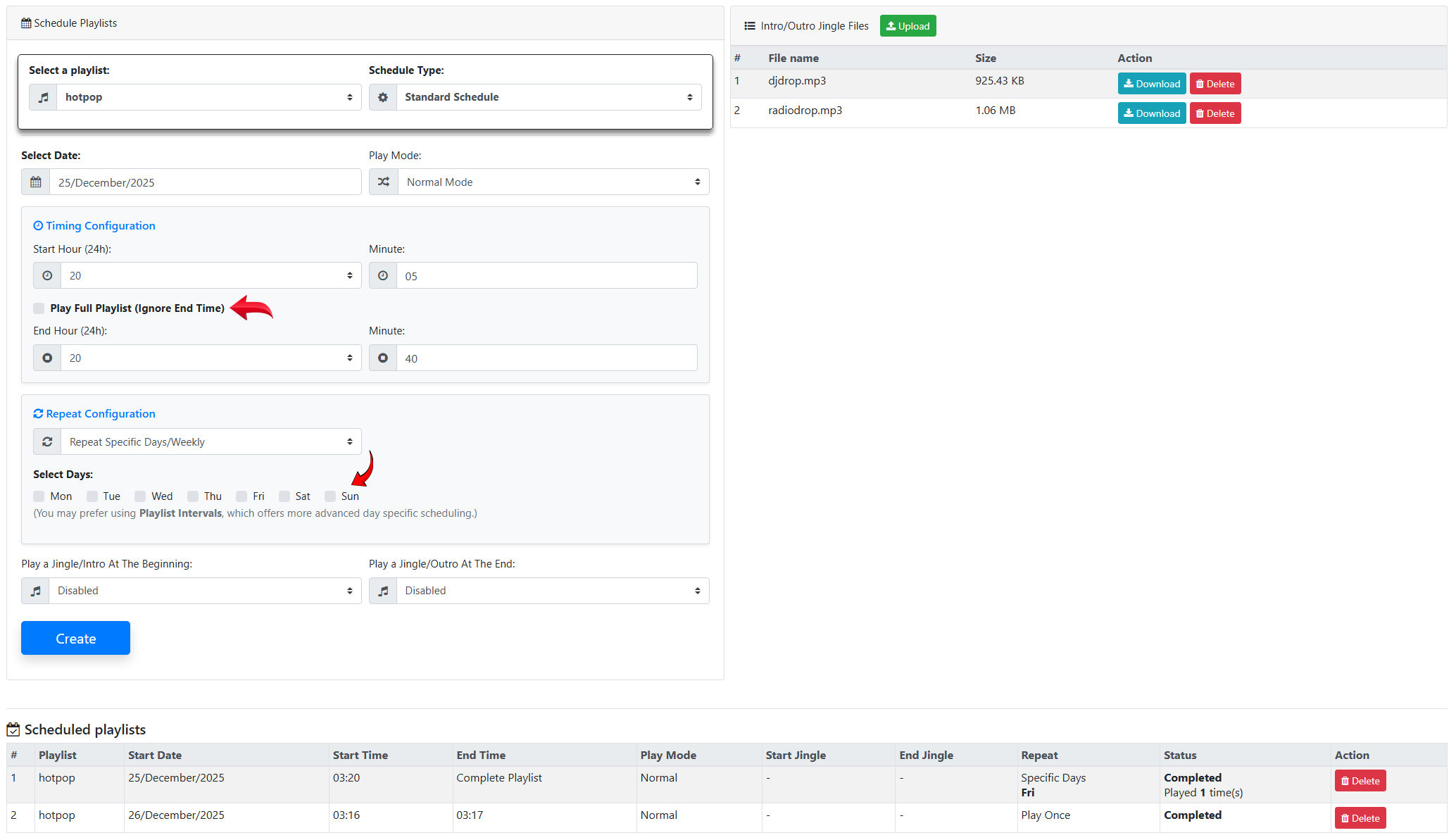
To repeat on selected specific days
By defining start and end times
Or by using the Play Full Playlist option
This provides much greater control over how and when playlists are played.
Time controls have also been improved:
Hour and minute fields are now separated
24-hour time selection is easier
The minute field allows manual input
The previous 5-minute limitation has been removed
In addition, the scheduling system now supports root shared playlists.
The Schedule Playlists feature now includes End Time support.
You can define an end time for a playlist
Or allow the playlist to play until completion using the Play Full Playlist (Ignore End Time) option
This option is enabled by default.
All scheduled playlists are displayed on a single page, making it easier to:
View existing schedules
Edit and manage playlists efficiently
The old jingles previously used with the Jingles / IDs Pro feature have been discontinued.
These jingles have now been moved to the Schedule Playlists page. From this page, users can:
Access jingle files
Download jingles
Delete existing jingles
Additionally, new jingles can be uploaded from this section and used as:
Intro audio for playlists
Outro audio for playlists
The Playlist Intervals feature now supports all playlists, including jingle playlists.
This allows you to:
Create dedicated jingle playlists
Use them with Playlist Intervals just like the old Jingles / IDs system
Build more advanced and flexible broadcast scheduling scenarios

 Turkey (Türkçe)